kigadgets.zone
Module Contents
Classes
This influences the main window. Make sure to pcbnew.Refresh() to see it |
|
This influences the main window. Make sure to pcbnew.Refresh() to see it |
|
This influences the main window. Make sure to pcbnew.Refresh() to see it |
- class kigadgets.zone.RuleArea(coords, name='', layers=None, board=None)
Bases:
kigadgets.item.Selectable,kigadgets.item.BoardItem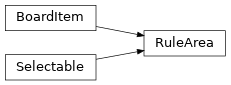
This influences the main window. Make sure to pcbnew.Refresh() to see it
- property name
- property layerset
Zones can have multiple layers Changing this layerset will not propagate back to this zone until you set layerset again. Common pattern:
zone.layerset = zone.layerset.add_layer('F.Cu')
- property layer
- property layers
- property is_keepout
- property is_selected
- property native_obj
- property board
- classmethod wrap(instance)
- classmethod from_polygon(poly, **zkws)
- to_polygon(layer='Margin')
- select(value=True)
Selecting changes the appearance and also plays a role in determining what will be the subject of a subsequent command (delete, move to layer, etc.)
- deselect()
- brighten(value=True)
Brightening gives a bright green appearance
- geohash()
- class kigadgets.zone.Zone(coords, name='', layers=None, board=None)
Bases:
RuleArea,kigadgets.item.HasConnection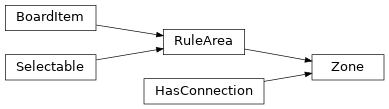
This influences the main window. Make sure to pcbnew.Refresh() to see it
- property clearance
- property priority
- property min_width
- property filled_area
The area of all poured polygons, not the zone outline polygon Returns in units of square mm
- property name
- property layerset
Zones can have multiple layers Changing this layerset will not propagate back to this zone until you set layerset again. Common pattern:
zone.layerset = zone.layerset.add_layer('F.Cu')
- property layer
- property layers
- property is_keepout
- property is_selected
- property native_obj
- property board
- property net_name
- property net_code
- get_fill_polygons()
Returns polygons on all layers. The Polygons have corresponding layers
- geohash()
- classmethod wrap(instance)
- classmethod from_polygon(poly, **zkws)
- to_polygon(layer='Margin')
- select(value=True)
Selecting changes the appearance and also plays a role in determining what will be the subject of a subsequent command (delete, move to layer, etc.)
- deselect()
- brighten(value=True)
Brightening gives a bright green appearance
- class kigadgets.zone.Keepout(coords, name='', layers=None, board=None)
Bases:
RuleArea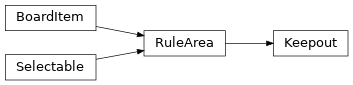
This influences the main window. Make sure to pcbnew.Refresh() to see it
- property allow
- property name
- property layerset
Zones can have multiple layers Changing this layerset will not propagate back to this zone until you set layerset again. Common pattern:
zone.layerset = zone.layerset.add_layer('F.Cu')
- property layer
- property layers
- property is_keepout
- property is_selected
- property native_obj
- property board
- geohash()
- classmethod wrap(instance)
- classmethod from_polygon(poly, **zkws)
- to_polygon(layer='Margin')
- select(value=True)
Selecting changes the appearance and also plays a role in determining what will be the subject of a subsequent command (delete, move to layer, etc.)
- deselect()
- brighten(value=True)
Brightening gives a bright green appearance